
Help to Buy is a government scheme to help., people to purchase their first home.
How do you qualify?
There are a few requirements that you need to meet in order to qualify for the Help To Buy scheme, namely the following:-
- You must be a first-time buyer. If two people are applying, they must both be first-time buyers. You can’t own property abroad
How much can you get:-
The amount that you can claim under Help To Buy is the lesser of:-
- €30,000
- The amount of DIRT (Deposit Interest Retention Tax) paid for the past 4 years.
- 10% of the purchase price of the property.
There are two types of applicants under the HTB system; those who buy new houses and those who build them.
First time purchaser applicants
You fall into this category if you are buying a new house from a vendor/building contractor.
First time self-build applicants
You fall into this category if you are building the house yourself. In this case you don’t need to use a contractor company that is a “qualifying contractor”.
Application Process
There are two main steps that you need to take at the beginning of the application process:-
- Ensure that your builder is a “qualifying contractor”. (As above, this is not relevant if you are building yourself.
- Ensure that you are tax compliant ie make sure that you have your taxes paid fully up to date.
PAYE workers
If you are a PAYE worker, you will need to submit an Income Tax Return (Form 12) for every year that you are making a refund for.
How do you make this return?
You can make it through My Account on the ROS system. Complete the form and submit it and you will be issued with a Statement of Liability. You should then pay any outstanding amounts of tax BEFORE you apply for HTB.
If you are registered for another tax head for any year/part of a year that you have chosen, you will need to get a Tax Clearance Certificate (TCC) for that year.
Self-assessed taxpayers
You will need to have eTax clearance and this will be available when you have paid your tax for each year. You can also file this return through the online ROS system and will need one for each year of the HTB application period.
Exception to the tax clearance requirement.
The government will sometimes provide a change to the requirement for full tax clearance if there has been an underpayment of tax in 2020 arising from income received from specific Covid-19 supports, namely the following:-
- Temporary Wage Subsidy Scheme (TWSS), or
- Pandemic Unemployment Payment (PUP)
If you are going to avail of this exception, you will need to make sure that you comply with the other HTB application requirements.
How do you apply for Help To Buy:
The application is made online and differs slightly depending on whether you are a PAYE or self-assessed applicant.
PAYE employees
You apply through MyAccount. You will also need access to My Enquiries which is the method of sending and receiving information and correspondence with Revenue. You can access MyEnquiries through My Account
Self-assessed applicants.
You apply through ROS. Again, you will need access to McEnquiries. Business owners can access MyEnquiries from the My Services screen under “Other Services”.
There are three stages to the HTB process:-
- Application Stage
- Claim Stage
- Verification Stage
- Application Stage
When you are applying for HTB, you can do so as an individual or as a group. If you are applying as a group, then the group will consist of more than one person. If a married couple or civil partners are applying, they will be classed as a group for the purposes of the application. Every person in the group must be a first-time purchaser and everyone who is named as a purchaser on the contract for sale must be included in the application and must be a first-time buyer.
The application will then be checked to make sure that all parties listed are tax compliant, and a figure will be given, showing the potential maximum tax relief due to you. You will not be given details of the actual relief available to you until the Claim Stage of the process.
You will be given and Application Number at this stage, and an Access Code will be sent to your MyEnquiries inbox.
Please remember to keep these two numbers safe as they are important for the entire process.
- Claim Stage
At this stage of the process, you will need to insert details about the following:-
– Address of the property
– Purchase value
– Mortgage
– Affordable Dwelling Contribution (this only applies if you have signed your purchase contracts on or after 11th October 2023 and you are participating in the Local Authority Affordable Purchase Scheme).
– Affordable Dwelling Purchase Arrangement (this only applies if you have signed your purchase contracts on or after 11th October 2023 and you are participating in the Local Authority Affordable Purchase Scheme).
- Verification Stage
Your application must be verified before the refund is paid to you. The verification is done by a different party depending on whether you are self-building or buying a new property.
If you are purchasing a new build, the eligible verifier is your Qualifying Contractor.
If you are building yourself, the verification is provided by your solicitor.
How do you verify?
You will need to give your Claim Number and Access Number to the eligible verifier. They will then verify the application and you will be provided with the final figure that will be refunded to you. As advised above, this may not be the same figure as the sum provided in the Application Stage.
Let’s go through the process
- Application Stage
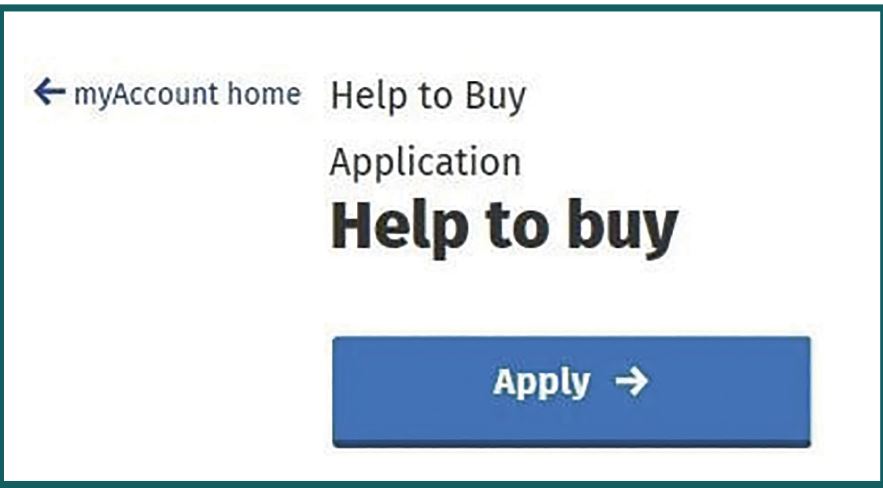
At the beginning of the process, you need to log in to the Help To Buy application section of the Revenue site.
If you are a PAYE tax payer, log on to MyAccount and go to the “Property and Land Services” card. Select “Help To Buy”.
If you are a self-assessed taxpayer, log on to ROS and select the “Help to Buy Applicant link” card.
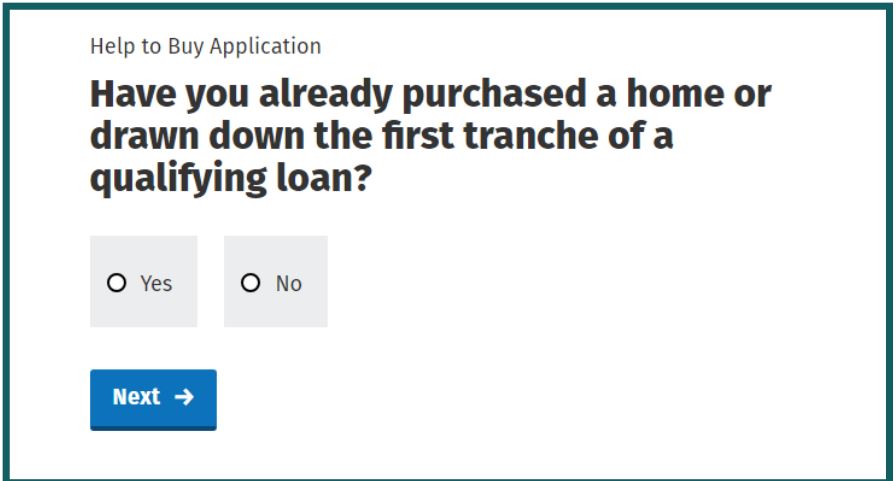
On the second screen, you be asked whether you have already purchased a home or drawn down the first tranche of a qualifying loan. If you click on “Yes”, you will then have to insert the purchase date or draw down date of the first tranche of your mortgage. This date must fall between the period 1st January 2017 and 31st December 2029.
On the next screen, you will be asked to confirm whether you are applying as an individual or a group.
SHOULD BE DIFFERENT SLIDE ABOVE
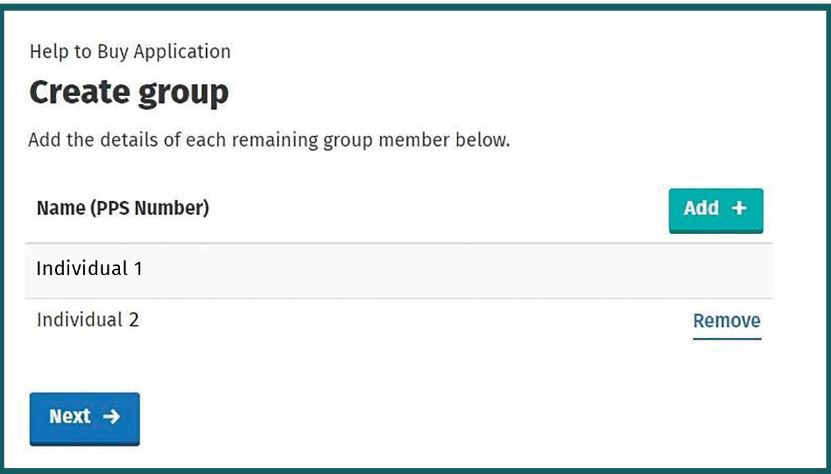
If you are applying for HTB as a group, you will need to insert the details of every person in that group. Each person must be a first-time purchaser and a couple will also count as a group for the purposes of the application. Everyone who is named on the purchase contract or mortgage document must be included in the application which will remain “pending” until each person’s details have been entered. Mortgage guarantors should NOT be included in the application.
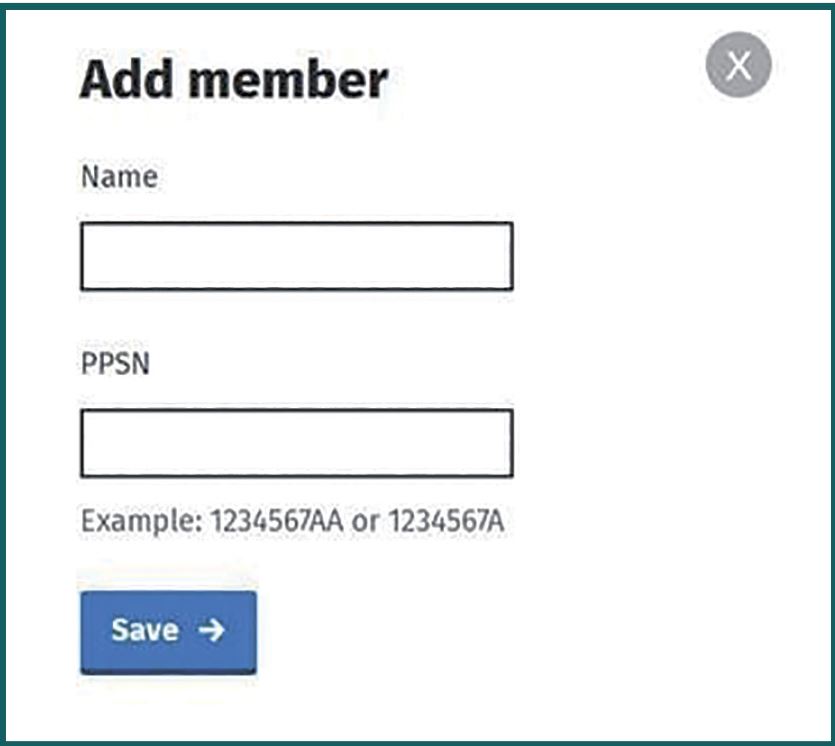
If you want to apply as a group, you should click the “Add” button and start entering the details of each group member. You will need their name and PPS numbers. Each group member will then receive a message in their MyEnquiries inbox, inviting them to join the group.
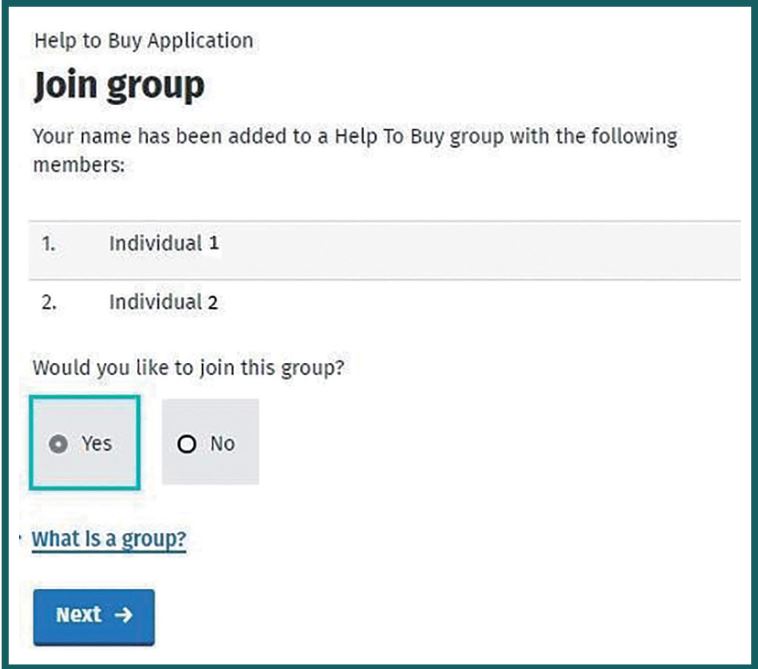
If have been added to the group by another group member, you will be sent the Join Group screen. Each group member will be listed and must agreed to sign the group or not. Each person will need to join the group before the application can be considered completed.
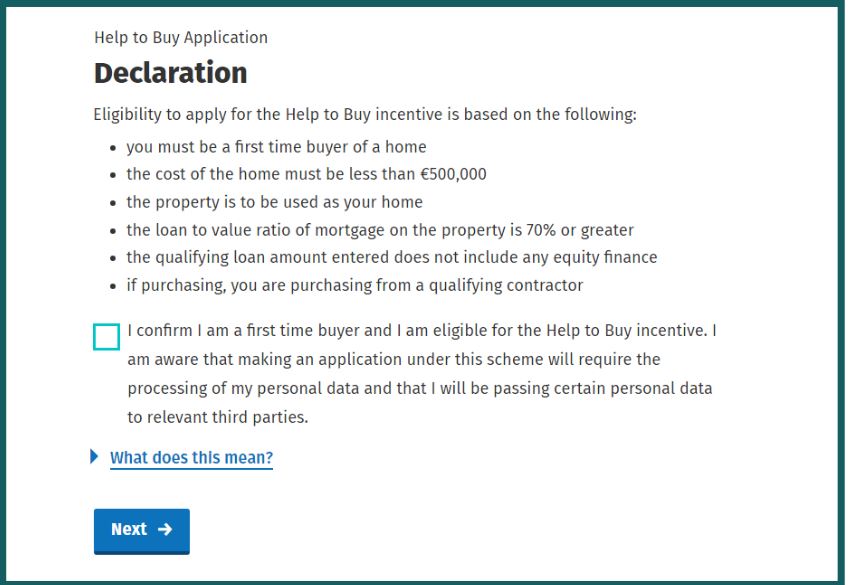
At this stage, each group member will be asked to sign a Declaration, confirming that they are first-time buyers and that they meet the requirements for the HTB scheme. It is important that these declarations are correct because a clawback from the relief paid may arise if any false information is provided.
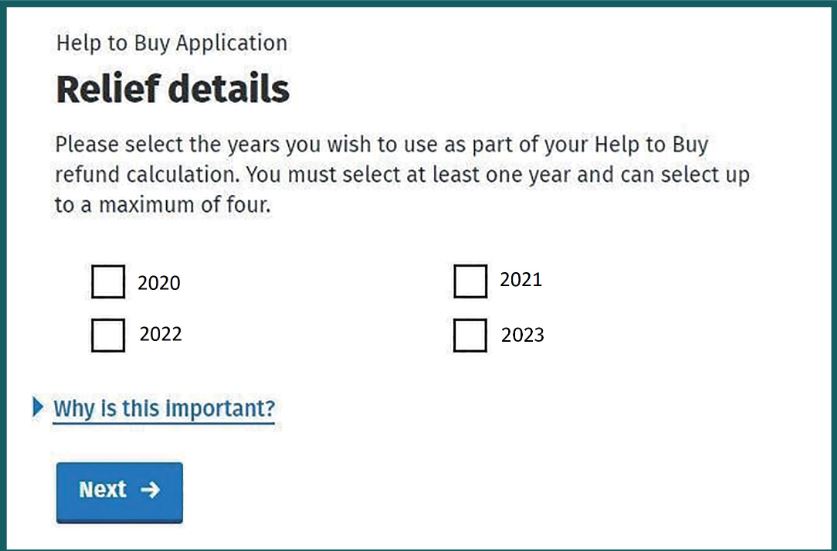
You will then need to select the period of time for which the application will be made. You must select at least one year, and can select up to a maximum of four years. The years available for selection are the four years prior to the year the application was made. Click each year that you wish to include in your application.
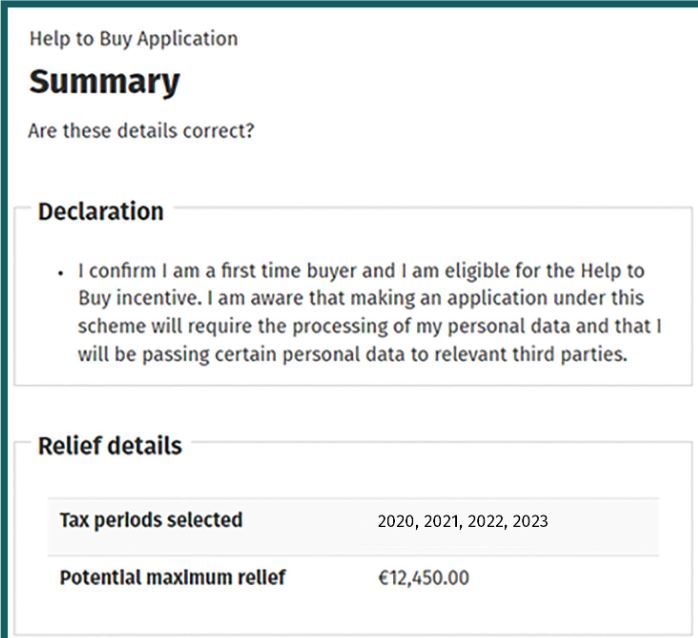
Once you have selected your years, you will be taken to a summary screen which will set out all of the information that you have inserted. Make sure that the details are correct before submitting your application.
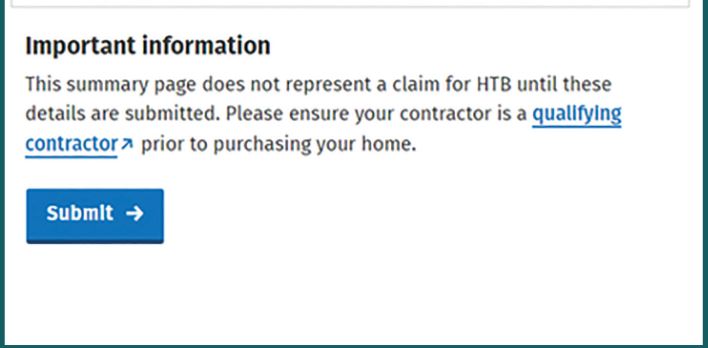
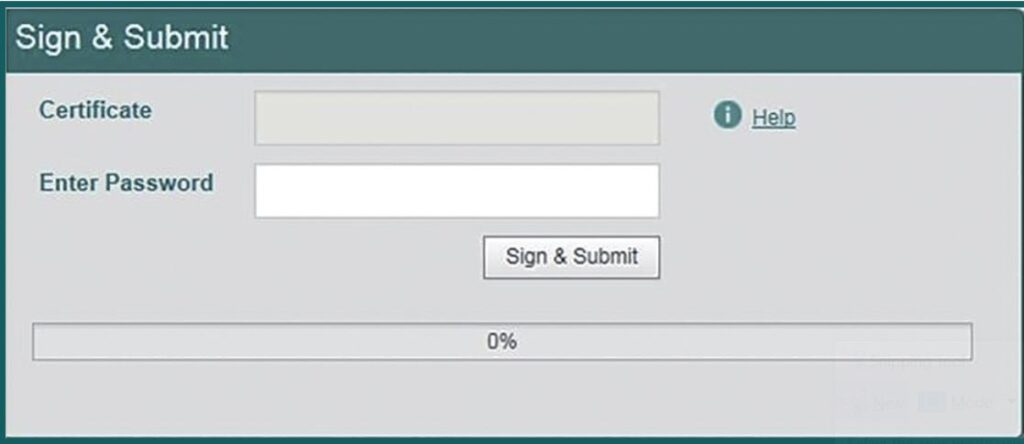
At this point you are ready to submit your application. Click “Submit” and you will be taken to a “Sign & Submit” page. The online system allows you to sign and submit your application by clicking on the “Sign & Submit” button.
You will now be sent an acknowledgement of submission. This will show an expiry date and you must submit your claim by this date. If it is not received by Revenue by this date, you must make a new application.
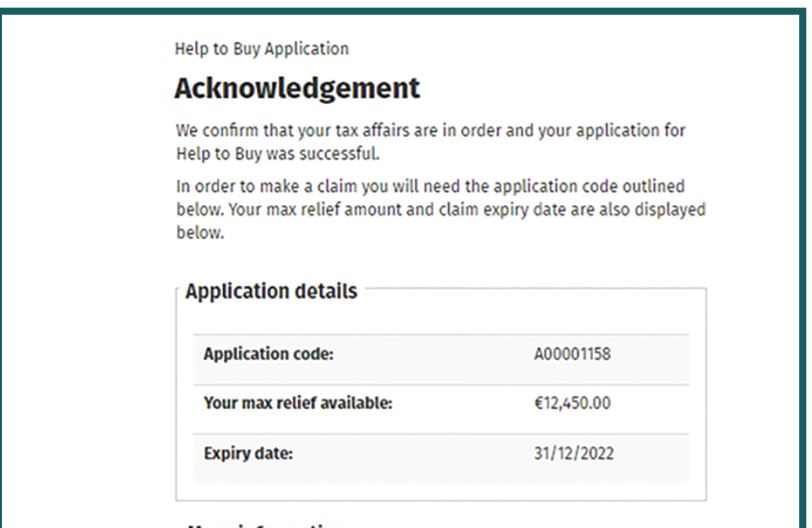
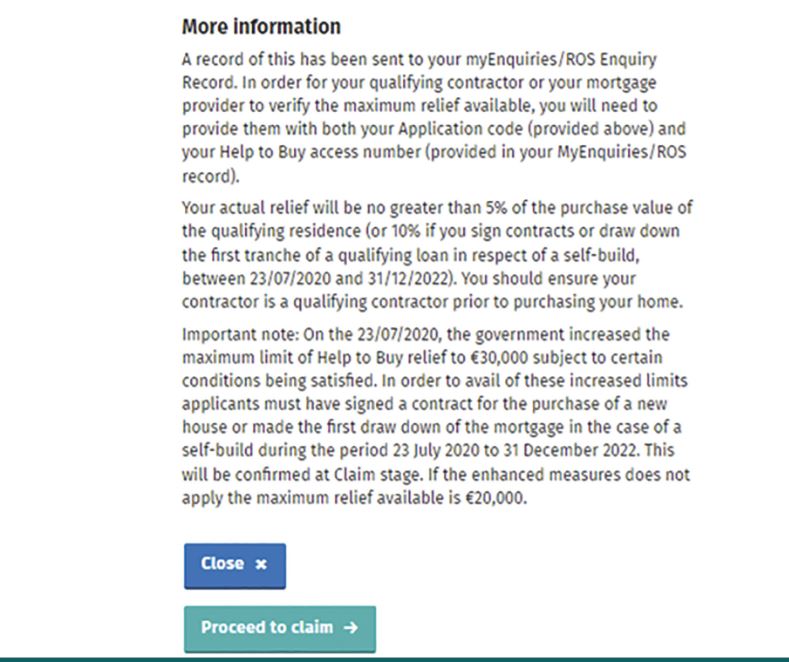
You are now ready to proceed to the Claim Stage.
- Claim Stage
You can only proceed to the Claim Stage once you have done one of the following:-
– Signed a contract to buy a new property
OR
– Drawn down the first tranche of your mortgage if you are self-building.
How to start your claim
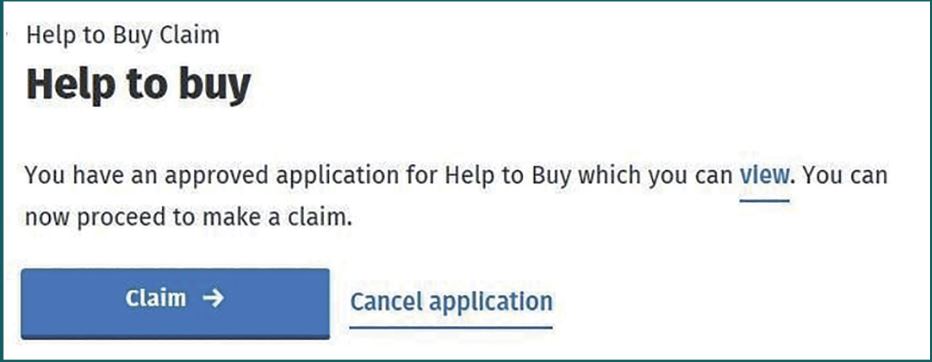
Log in to myAccount or ROS to make your HTB claim. You will be asked to confirm details regarding the property. These will include the purchase price, completion date, mortgage details, the amount of the deposit that you have already paid, or the affordable dwelling contribution. If you have received any shared equity finance from the State, then this should be included when you are entering details of the mortgage amount.
At this point, you can also view your Help To Buy application acknowledgement by clicking on “View”
You will then need to insert details of the mortgage holders, and the property type.
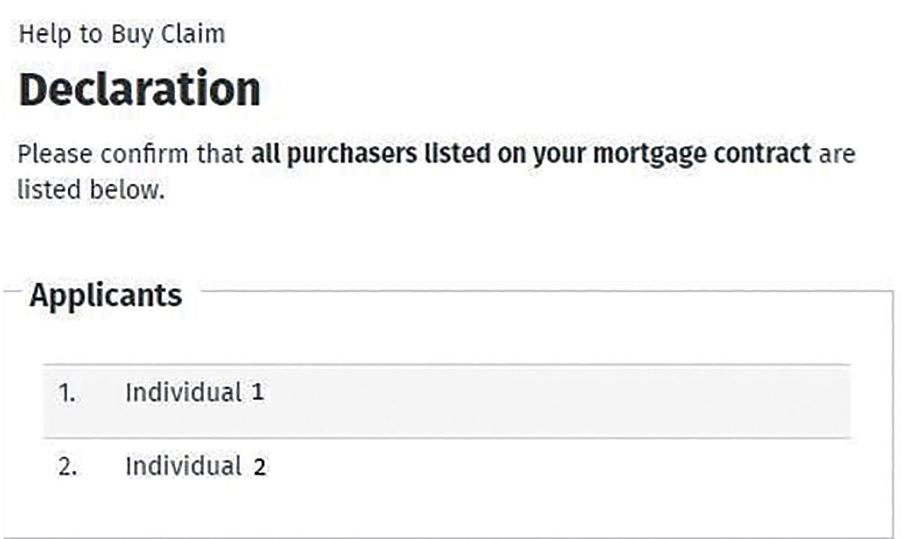
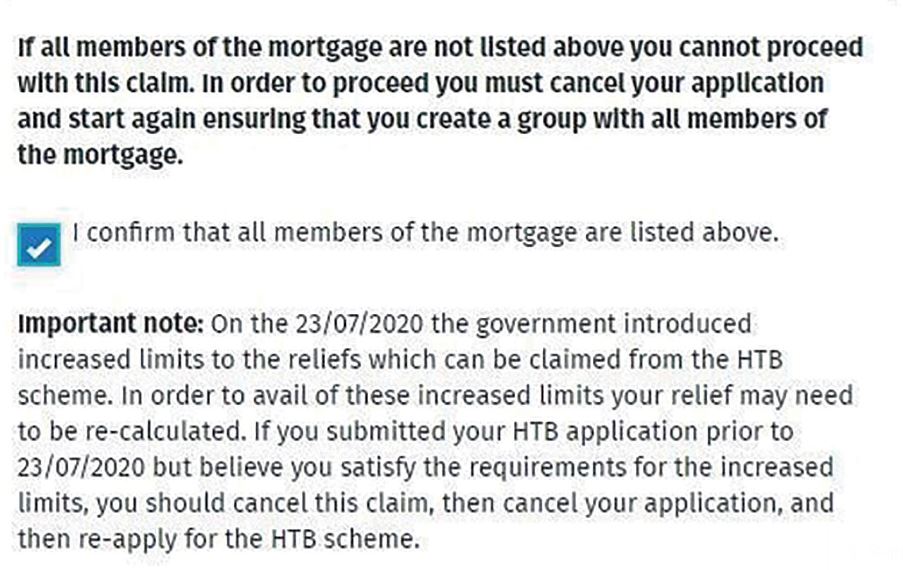
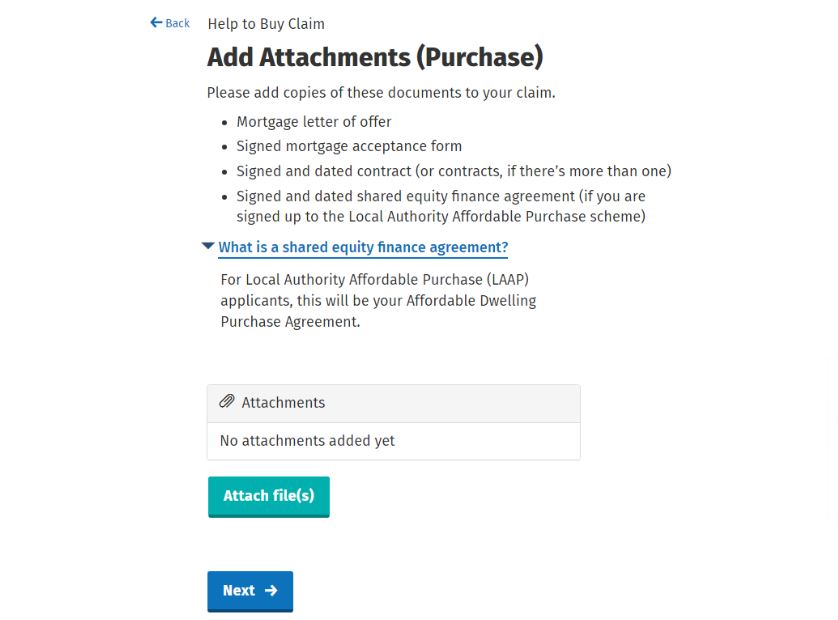
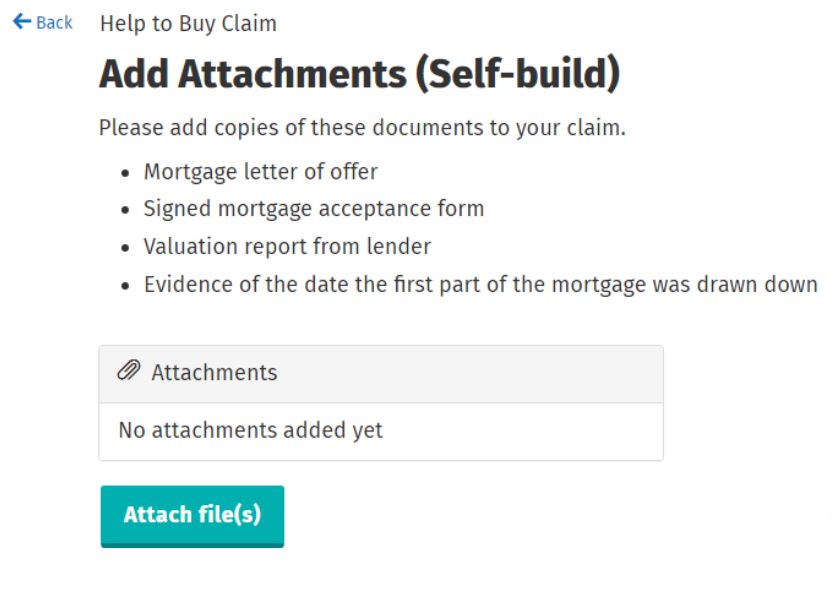
There are a number of documents that you will need at this stage and they must be uploaded to the system so that Revenue can process the claim. The documents in question will differ, depending on whether you are buying a new property or self-building.
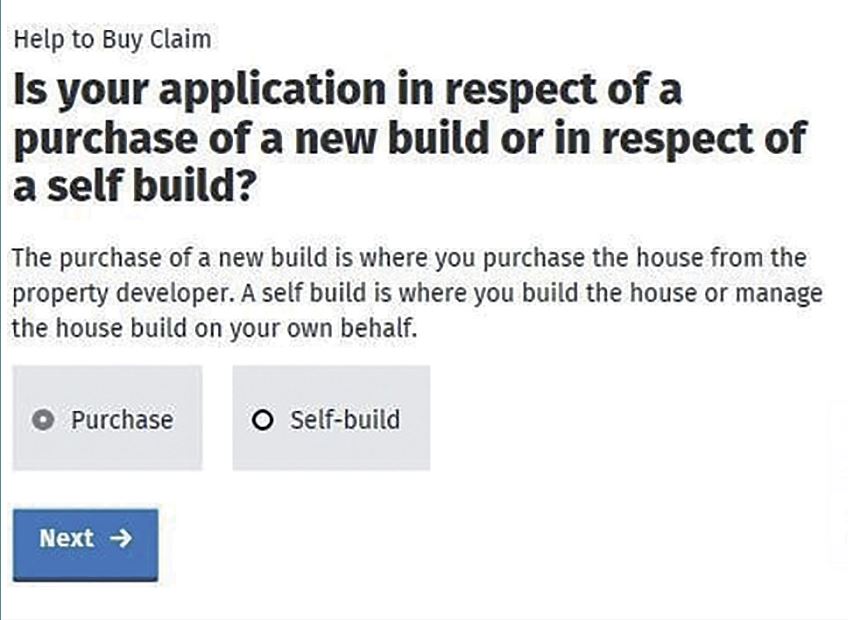
Purchasing a home
You will need the following documents:
- Evidence of your mortgage by way of the letter of loan offer and signed acceptance form. The documents should clearly outline the name of the bank, borrower(s) and the address of the property.
- A copy of the contract signed by you and the Qualifying Contractor.
- A copy of the signed and dated Affordable Dwelling Purchase Agreement. This is relevant if you are participating in the Local Authority Affordable Purchase Scheme and you have signed your purchase contract on or after 11th October 2023.
Self-building a home
You will need the following documents:-
- The letter of loan offer and signed acceptance form. They should clearly show the name of the bank or financial institution, the applicants, the mortgage amount and the address of the property.
- Evidence of the date on which the first part of the mortgage was drawn down.
- Your lender’s valuation report.
It is important that you take care when you are uploading these documents as any errors or inaccuracies can cause a delay. You should ensure that the correct and relevant pages are uploaded, that they included the correct information and that they are clearly legible. When you are uploading them, you should ensure that the title of each document makes its contents very clear eg “Letter of Loan Offer signed by all parties”, “Contract for Sale signed by all parties” etc.
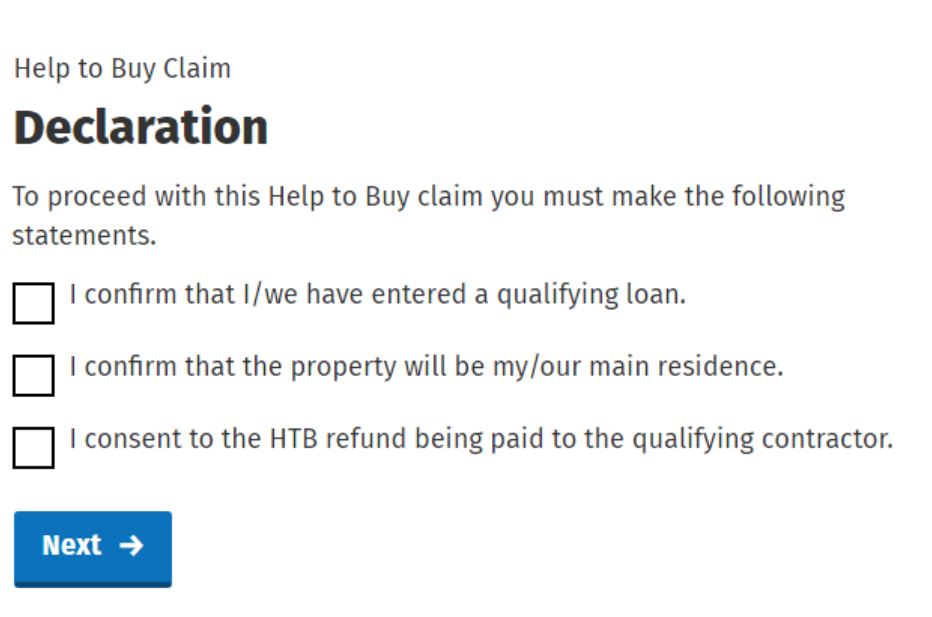
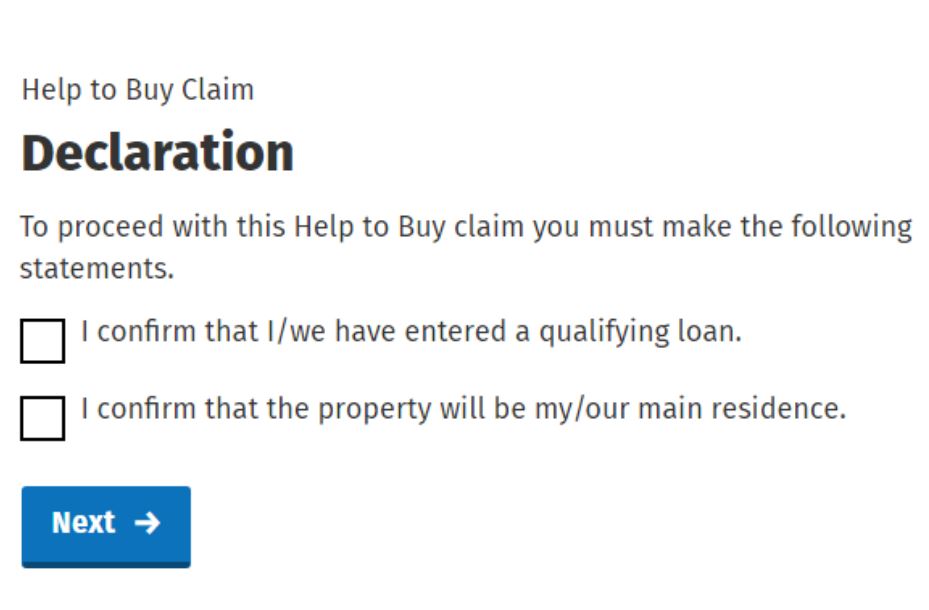
You will then be shown a Declaration screen where you will be asked to confirm that the various required documents have been uploaded. Once again, make sure that you complete this accurately and have included everything that is required as an incorrect declaration could lead to a clawback of the refund given.
There are different declaration screens depending on whether you are buying a new build, or self-building a home.
New build:-
Self-build:-
You will then move on to the property screen where you will have to insert a number of details about the property.
If you are buying a new build, the purchase price cannot be less than the open market value. If you are self-building, the purchase price is the valuation of the property which has been approved by the lender.
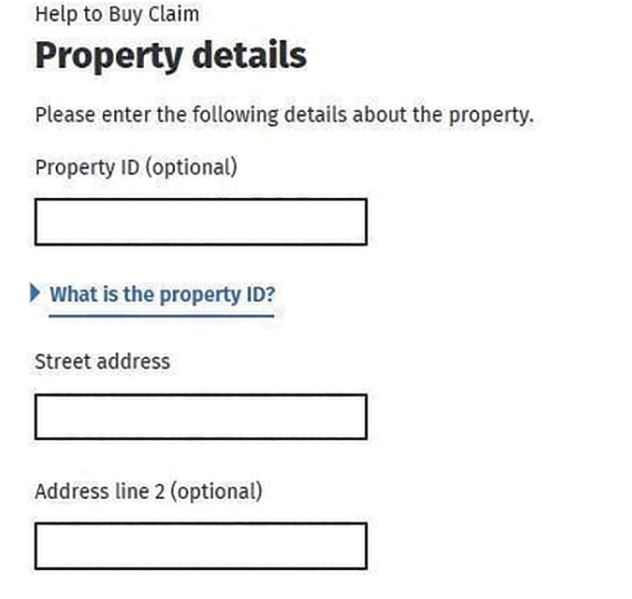
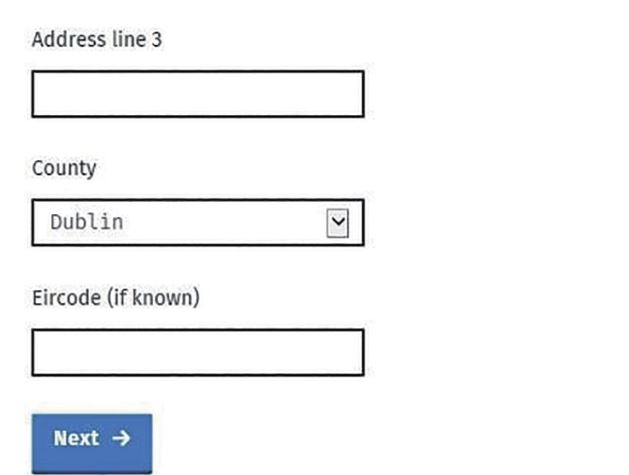
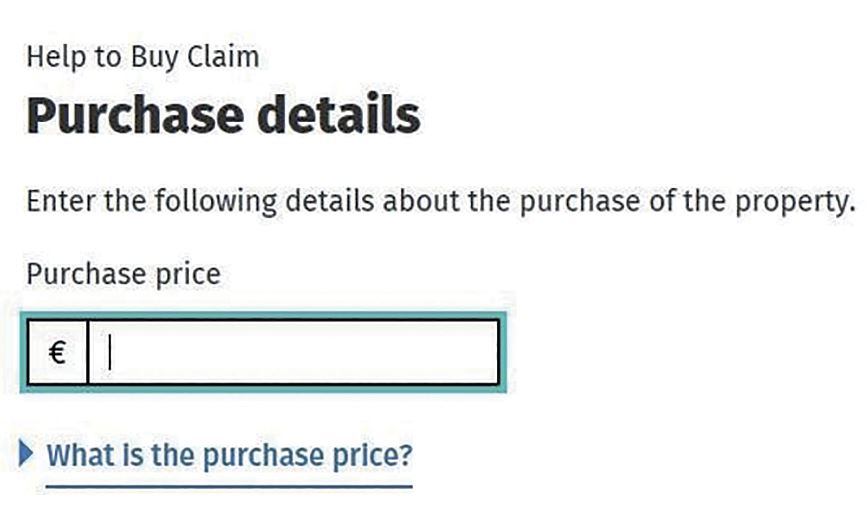
Once you have inserted the property details, you will need to insert the purchase details. A different screen will be needed depending on whether or not you are buying a new build or are self-building.
Here is the screen for the purchase details for a new build:-
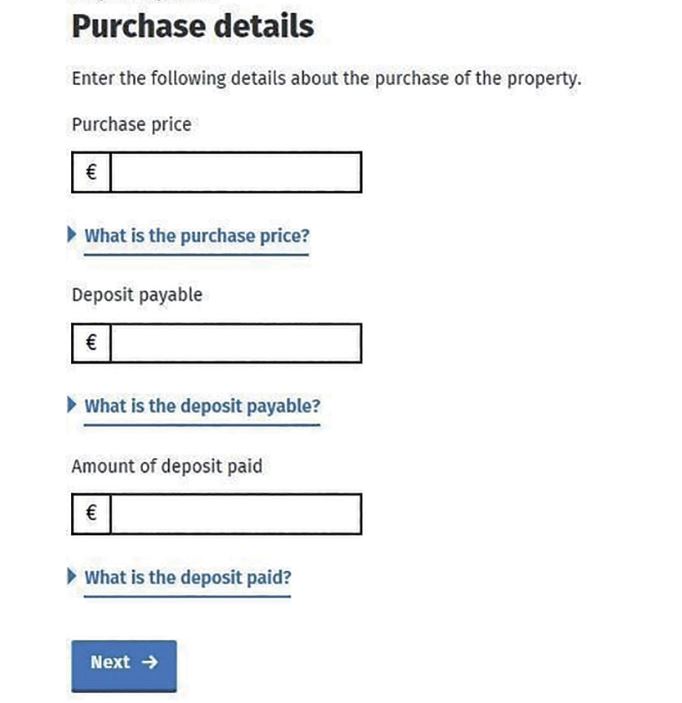
Here is the screen for a self-build purchase details:-
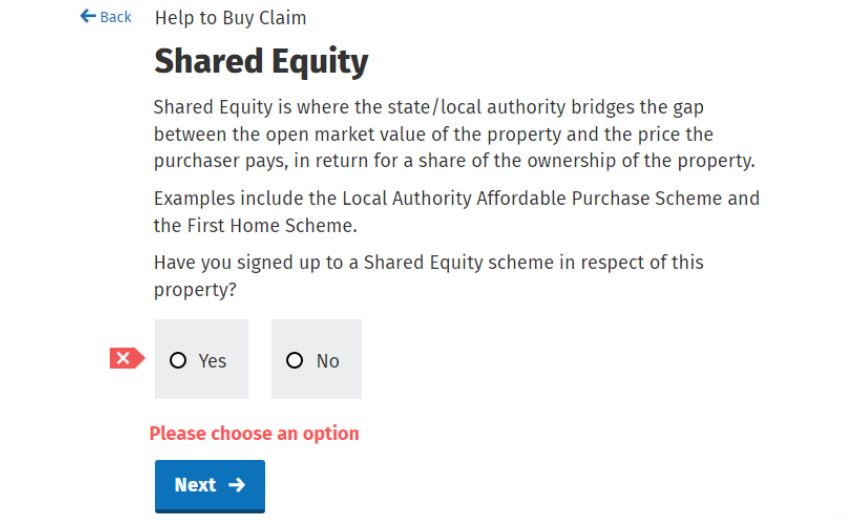
Shared Equity
The Shared Equity section will be relevant to you if you are availing of Shared Equity Finance through a Government housing support scheme. These will include the First Home Scheme or the Local Authority Affordable Purchase Scheme. If either of these apply to you, then you must complete this section before your claim can be finalised. You should click “Yes” on the screen if one of these schemes applies to you.
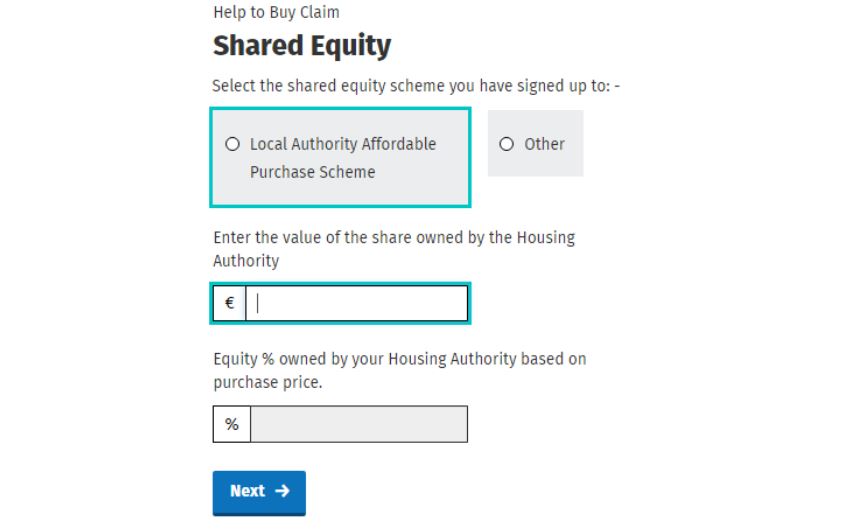
Local Authority Affordable Purchase Scheme
If you are availing of this scheme, and you have signed your purchase contract on or after 11th October 2023, you will have to insert the affordable dwelling contribution that you have been allotted by the Local Authority. This contribution will be set out on the contract that you have with your Local Authority which is called your Affordable Dwelling Purchase Arrangement.
The online system will automatically calculate the percentage equity stake which will be held by the Local Authority and this will be shown in the screen below. You should make sure that this percentage matches the figure inserted in your Affordable Dwelling Purchase Arrangement.
If you are participating in any other government Scheme, then you should click “Other” on the screen.
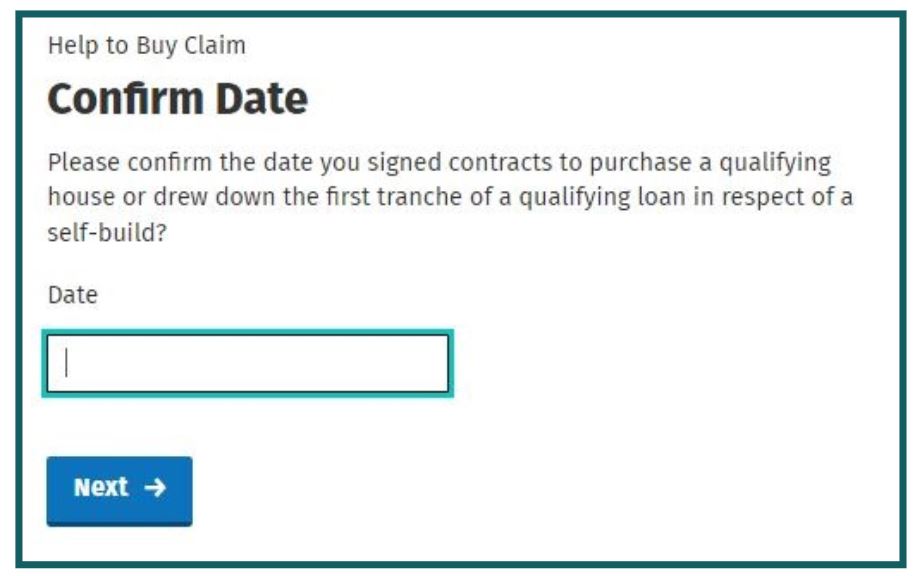
Next, you will need to insert details of the date on which you signed contracts to buy a new build, OR the date on which you drew down the first tranche payment for a self-build.
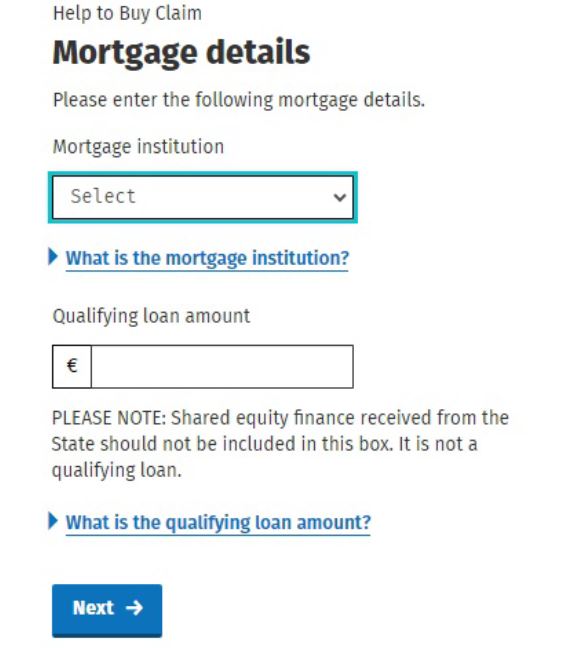
You are now ready to insert your mortgage details. Once again, there are different screens for the mortgage details of the purchase of a new build, and a self-build. Remember, do not include any monies coming from a shared equity scheme and this does not count as a “Qualifying Loan” for the purposes of the Help To Buy scheme.
Here is the screen for the mortgage details of the purchase of a new build:-
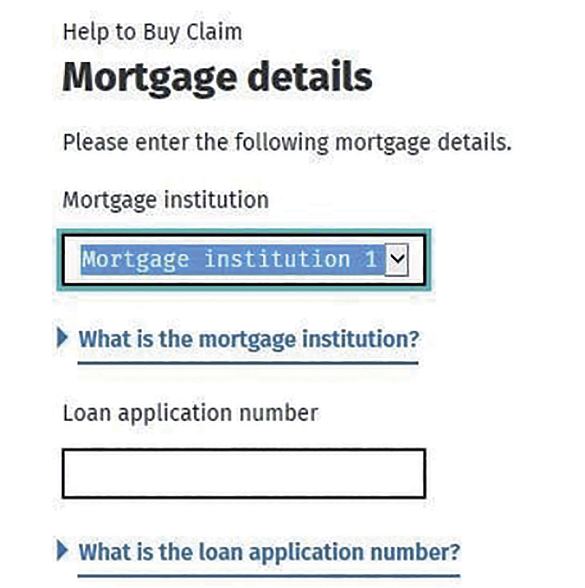
Here is the screen to be used if you are self-building:-
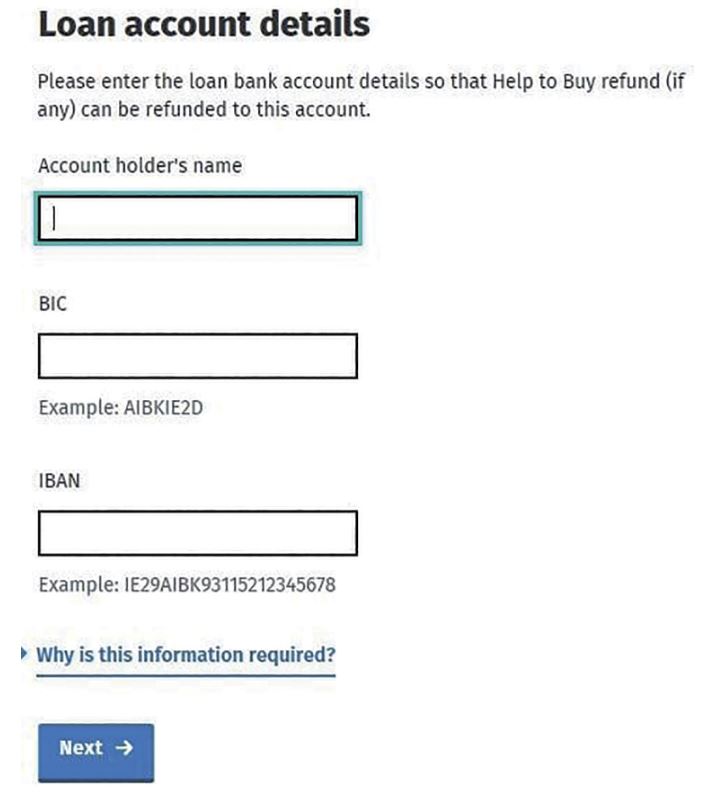
If you are self-building a home, you will need to insert your bank details so that the HTB refund can be paid to you. A separate screen will open for you, and you must insert bank details for an account that is an Irish bank account. It must be held with your mortgage provider.
At this stage, you will reach a Summary screen. You should go through the information that is listed and ensure that it is all correct before moving forward.
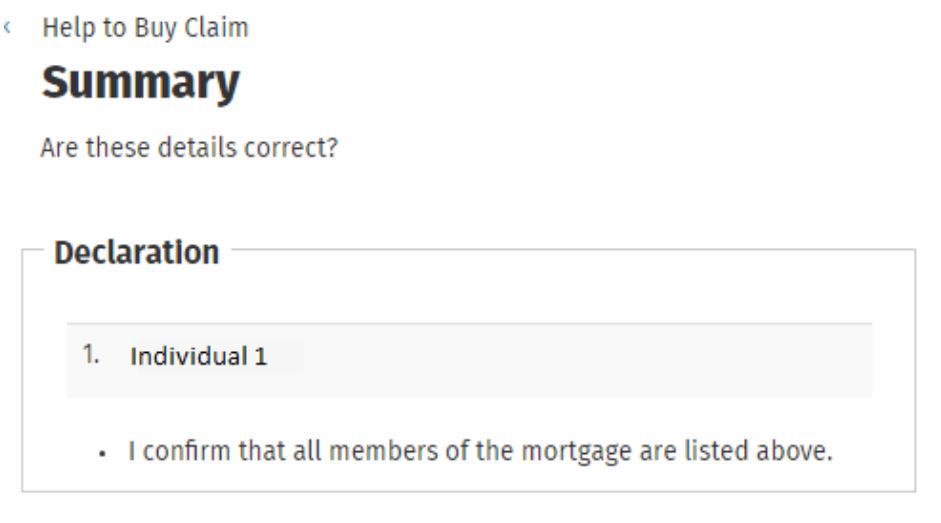
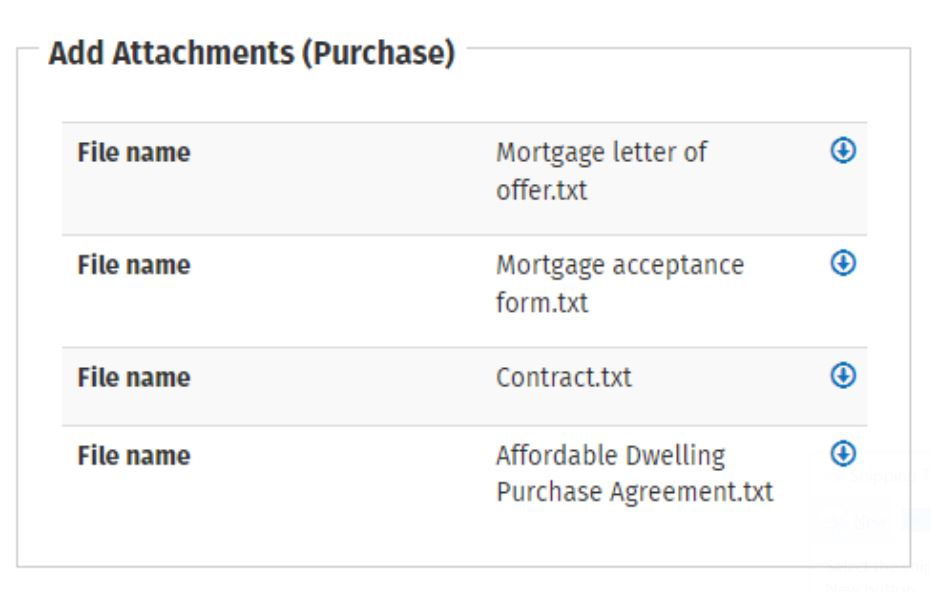
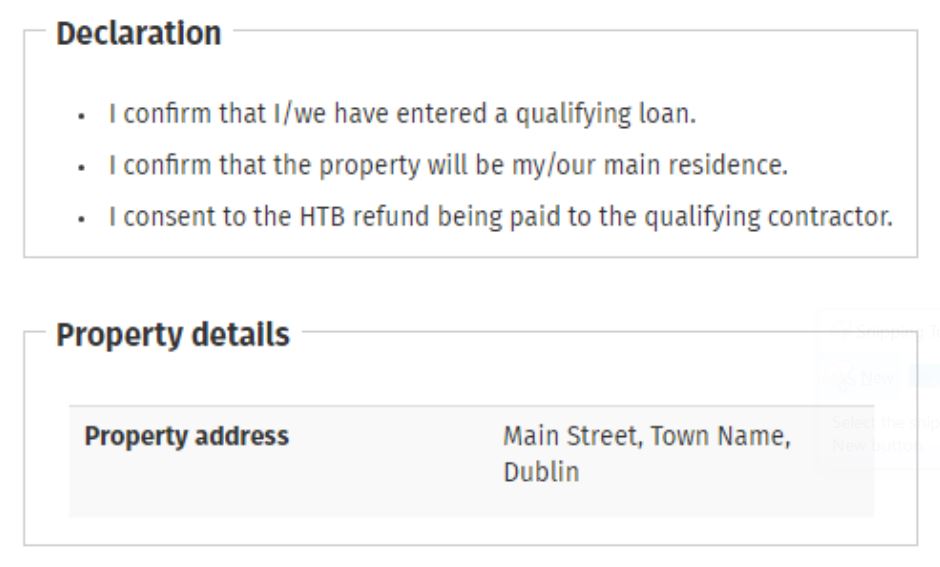
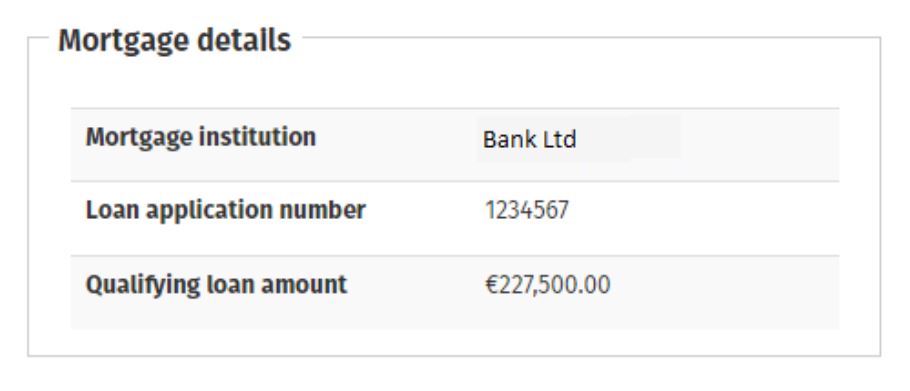
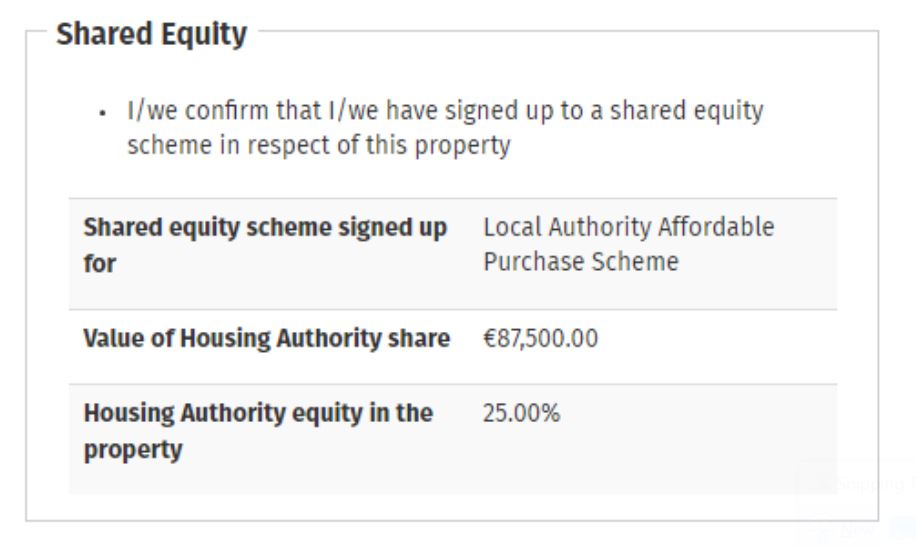
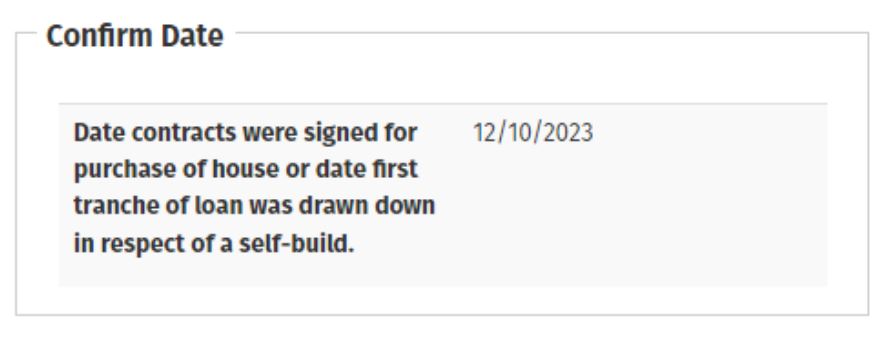
Here is the Summary screen for an application under the Local Authority Affordable Purchase Scheme:-
Here is the Summary Scheme for an application for a Self-Build:-
You will then be taken to a screen that sets out the total amount of the tax relief to be refunded.
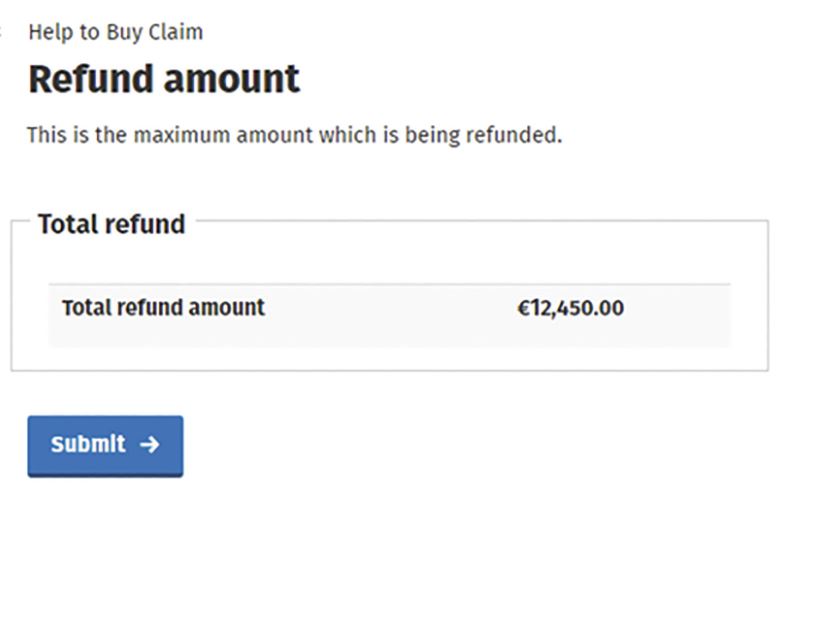
Ensure that your Summary screen contains the correct information and then sign and submit your claim.
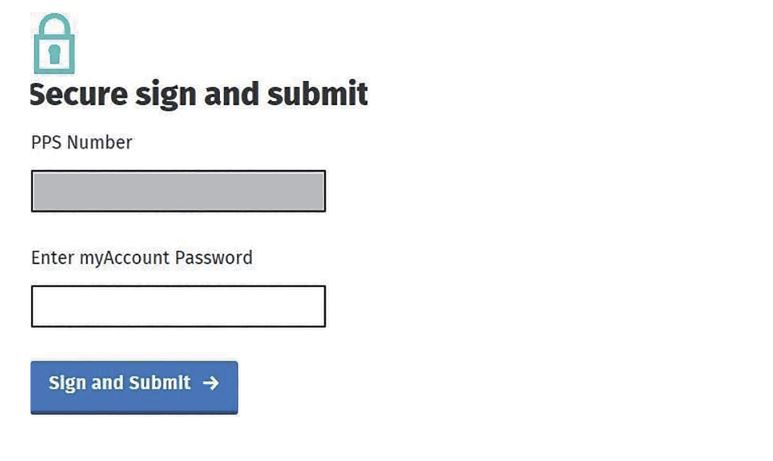
At this point, your submission will be acknowledged and you will be given a Claim Reference Number.

Apportionment of HTB Group Claim
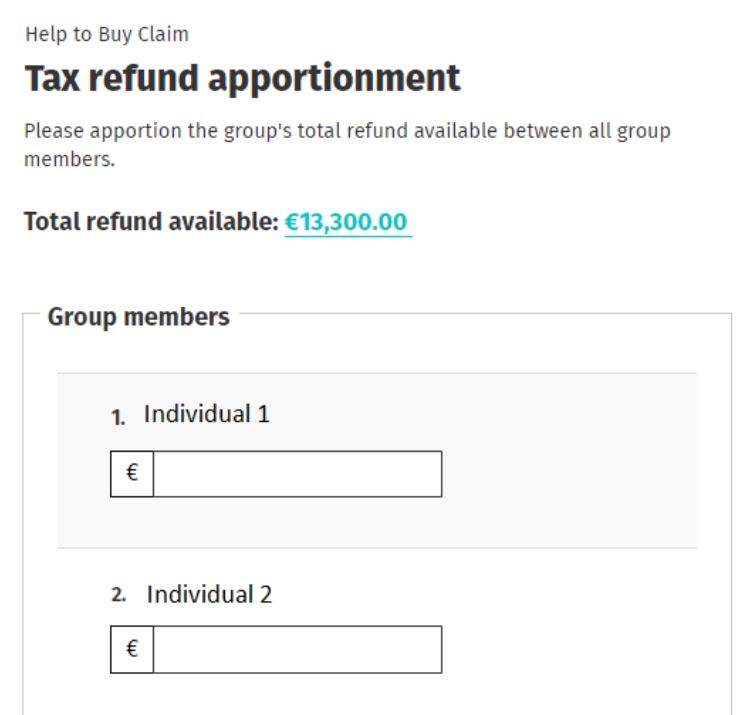
For applications made by a group, only one member is required to submit the claim. The refund can then be apportioned between the group members. Each individual’s repayable amount cannot exceed the amount of the claim. Each member will be informed individually of the amount of refund that they will receive.
Can you cancel your Help To Buy claim?
Before you sign and submit your claim, you can cancel the claim. If the claim is a group claim, each member of the group will be informed through their MyEnquiries account.
Verification Stage
The final part of the Help To Buy Scheme is the verification stage. Your claim must be verified in the appropriate manner before the refund will issue.
You will need to give the following details to your eligible verifier:-
- Claim Reference Number
- Help To Buy Access Number
To recap, your eligible verifier will be one of the following:-
- The Qualifying Contractor if you are buying a new build.
- Your solicitor if you are self-building.
Once the verification has been made, a number of systematic checks take place and the refunds are paid as soon as possible.